Bring systems together
Access business information across applications, databases and files through one guided connection experience.
Bring data from enterprise applications, databases and files into Snowflake with secure, guided connections. Reduce manual transfers, keep information flowing and give your analytics a more reliable starting point.
Bring databases, applications, files and APIs into Snowflake through guided connections, and give your analytics a dependable starting point.
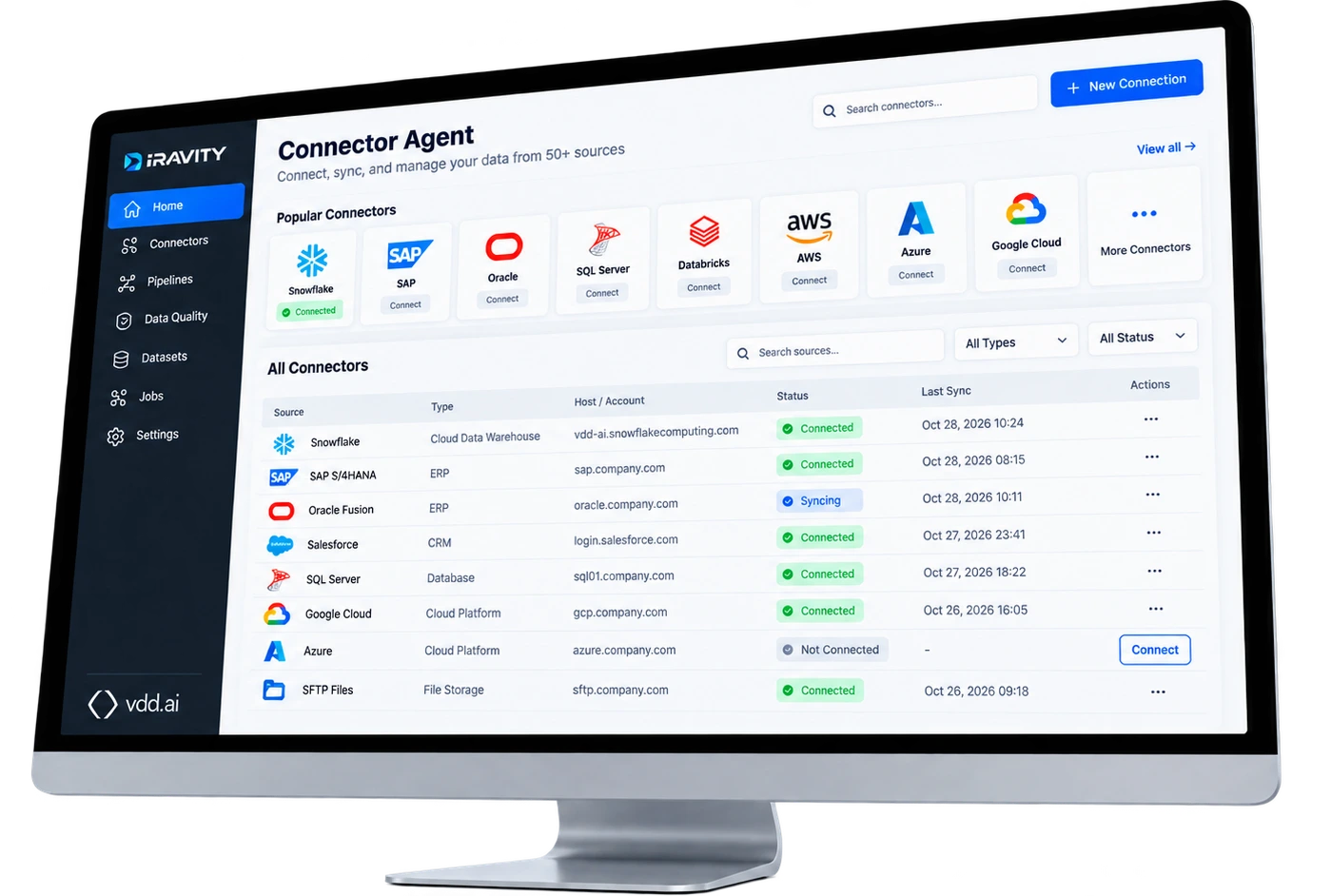
Connected sources give your teams a more consistent foundation for reporting, operational visibility and future analytics.
Access business information across applications, databases and files through one guided connection experience.
Support scheduled and incremental data loading so teams can work with updated information.
Preserve loaded source history in Snowflake and make it easier to investigate where business figures originated.

Move from connection setup to usable source data through a guided process. Test connections, choose tables and review the plan before changes begin.
Your teams stay in control of which systems are accessed and which information is loaded.
Start with a simple request and let Dravity's Dataflow Agent guide connection discovery, testing and loading. Sensitive credentials remain outside the conversation, while important changes require your approval.
Illustrative example. The Dataflow Agent supports connector tasks within the wider integration journey.
Dravity supports a range of enterprise data connectors, from databases and business applications to files, APIs and private-network sources.
PostgreSQL, MySQL, SQL Server, Oracle Database and accessible Snowflake schemas.
SAP OData, Salesforce, Dynamics 365 Business Central and Oracle Fusion.
SFTP CSV files, SharePoint documents, managed uploads and generic Web APIs.
A local outbound agent offers a connection path for systems in private networks.
Additional documented connectors include Shopify, MoEngage and Google Analytics 4. Configuration requirements differ by source.
Bring data into your Snowflake environment with controlled credentials, access permissions and visibility into connection and load activity.
Dravity runs in your Snowflake account. Source data is loaded into the environment you control.
Credentials are stored as Snowflake secrets and do not pass through agent chat or model context.
Access follows configured Snowflake and Dravity permissions. Sensitive actions are reviewed before execution.
Review load results and preserve source history, supporting investigation and downstream data quality checks.
Practical answers for teams getting business data into Snowflake.
The Dravity guide lists relational databases, Snowflake schemas, Salesforce, SAP OData, Oracle Fusion, Dynamics 365 Business Central, SFTP files, SharePoint, generic Web APIs and other supported sources. Each connector has its own setup requirements.
Yes. The documented on-prem agent runs inside your network and connects outward, rather than requiring an inbound network port to be opened.
Dravity supports incremental, change-aware loading and scheduled pipeline runs. The available refresh behavior depends on the source and its configuration.
Credentials are saved through a dedicated interface and stored as Snowflake secrets. They are not placed in agent chat or model context.
No. Connector capability focuses on reaching sources and loading their data into Snowflake. The wider Dataflow and Integration workflow also proposes models, mappings, transformations and verifies business-ready output.
Loaded source data enters Snowflake. Dravity's documented data flow preserves raw history in the Blue layer and prepares current source copies in Bronze before later modeling into Silver and Gold.
Explore Dravity Connector Agent to connect enterprise systems, simplify loading and create a reliable starting point for analytics and AI in Snowflake.
An architect has your note and will follow up shortly.
Prefer to pick a time now? Book a slot with an architect