Faster answers
Ask the question you actually have, without waiting for a new dashboard or a spreadsheet export.
Get useful answers to business questions in everyday language. Explore performance, compare KPIs and understand the numbers behind your decisions with conversational analytics inside your Snowflake account.
Go from a business question to a useful answer with conversational analytics inside Snowflake. Explore performance, understand your KPIs and spend less time waiting for a custom report.
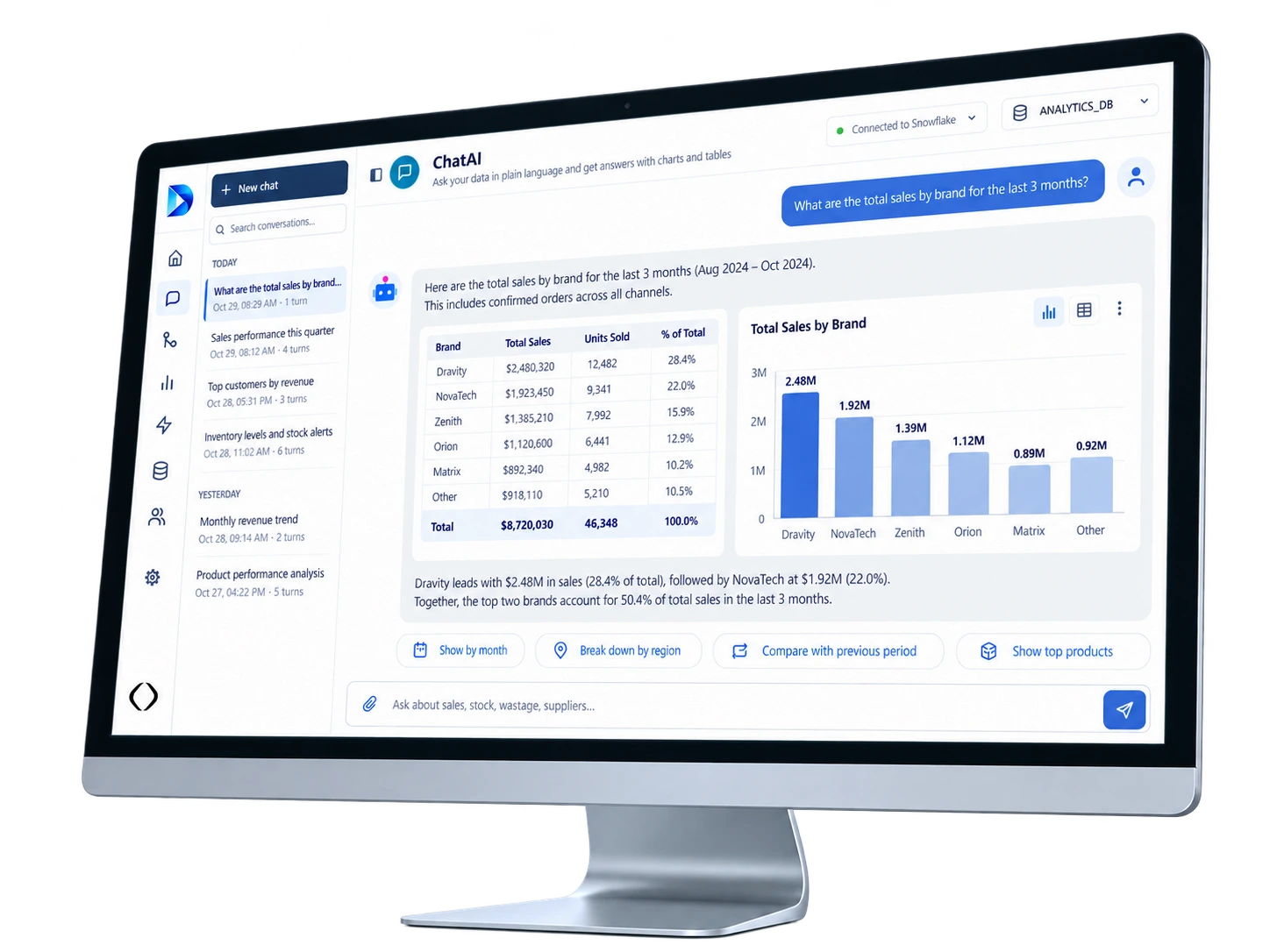
Give teams an easier way to understand business performance, explore changes and find the detail behind the numbers.
Ask the question you actually have, without waiting for a new dashboard or a spreadsheet export.
Explore business metrics through a consistent, governed source rather than disconnected copies of reports.
Move from a headline number to regional trends, comparisons and useful context in the same conversation.
Describe the metric, business question or comparison you want to explore.
The assistant uses the available semantic context to understand the question.
Snowflake processes the permitted query over the relevant data.
Review the results as an answer, table or chart when supported.
Ask a follow-up to dig into drivers, segments or time periods.
Illustrative flow. Results depend on configured data, models and feature availability.
Chat Agent makes governed Snowflake information easier to explore. Start with what you want to know, review the returned data and continue the analysis without switching tools.
A report may show what happened. A follow-up question helps you understand where to investigate next. Chat Agent lets teams explore governed business data using familiar words.
Make the most of the business data already available in Snowflake through a conversational experience designed around real questions.
Ask about business metrics without manually writing a query for every question.
Review the numbers behind an answer and compare results across categories.
Use charts or visual responses where the connected experience supports them.
Use Snowflake access permissions and configured semantic definitions to support consistent answers.
Move faster with conversational analytics while keeping permissions and query execution tied to your Snowflake environment.
Dravity runs as a Snowflake Native App in your account and uses your governed data environment.
Access is subject to your configured Snowflake privileges and Dravity authorization model.
Semantic context helps the assistant interpret measures, dimensions and questions consistently.
Where available, inspect supporting queries and details rather than treating a generated answer as a black box.
Your team asks the question. Snowflake provides the data context. Your access rules still matter.
Understand how conversational analytics fits into your team's Snowflake workflows.
No. Chat Agent is designed for natural-language questions. Technical teams can still inspect and work with SQL where the product workflow supports it.
It is intended to work with accessible Snowflake data and configured semantic definitions. Available answers depend on the data, permissions and configuration in your account.
The conversational analytics experience can provide numerical and tabular results, with visual responses where supported by the enabled workflow.
Dravity runs in your Snowflake account. Queries and data access are governed by the configured roles, privileges and application permissions.
The experience can expose supporting query and data context where configured. Reviewability depends on the enabled features and metadata.
This page describes the Chat Agent capability within Dravity. A separately listed application should only be advertised if its availability is confirmed.
Explore Dravity Chat Agent to ask about performance, understand your KPIs and work with governed Snowflake data in a more natural way.
An architect has your note and will follow up shortly.
Prefer to pick a time now? Book a slot with an architect